Introduction
What Pose-Trigger can do
Pose-Trigger is designed to work on a linux computer equipped with a high-speed video camera.
The current version of the software features:
Acquisition of high-speed videos (up to 100-200 fps without on-line pose estimation).
On-line exposure/gain adjustment.
Adjustment of acquisition intervals.
On-line estimation of body-part positions using DeepLabCut.
On-line evaluation of arbitrary posture conditions based on the estimated body-part positions.
Fast output-trigger generation (<1 ms) using the FastEventServer program.
Brightness/contrast adjustment for on-line display.
Storage of frames into the NumPy-style zip archive.
How Pose-Trigger works
Pose-Trigger is essentially a Python application. You can install Pose-Trigger on a Linux computer, and run from Terminal by typing:
$ pose-trigger
(The $ character represents a prompt. You are not supposed to type it)
The model setup
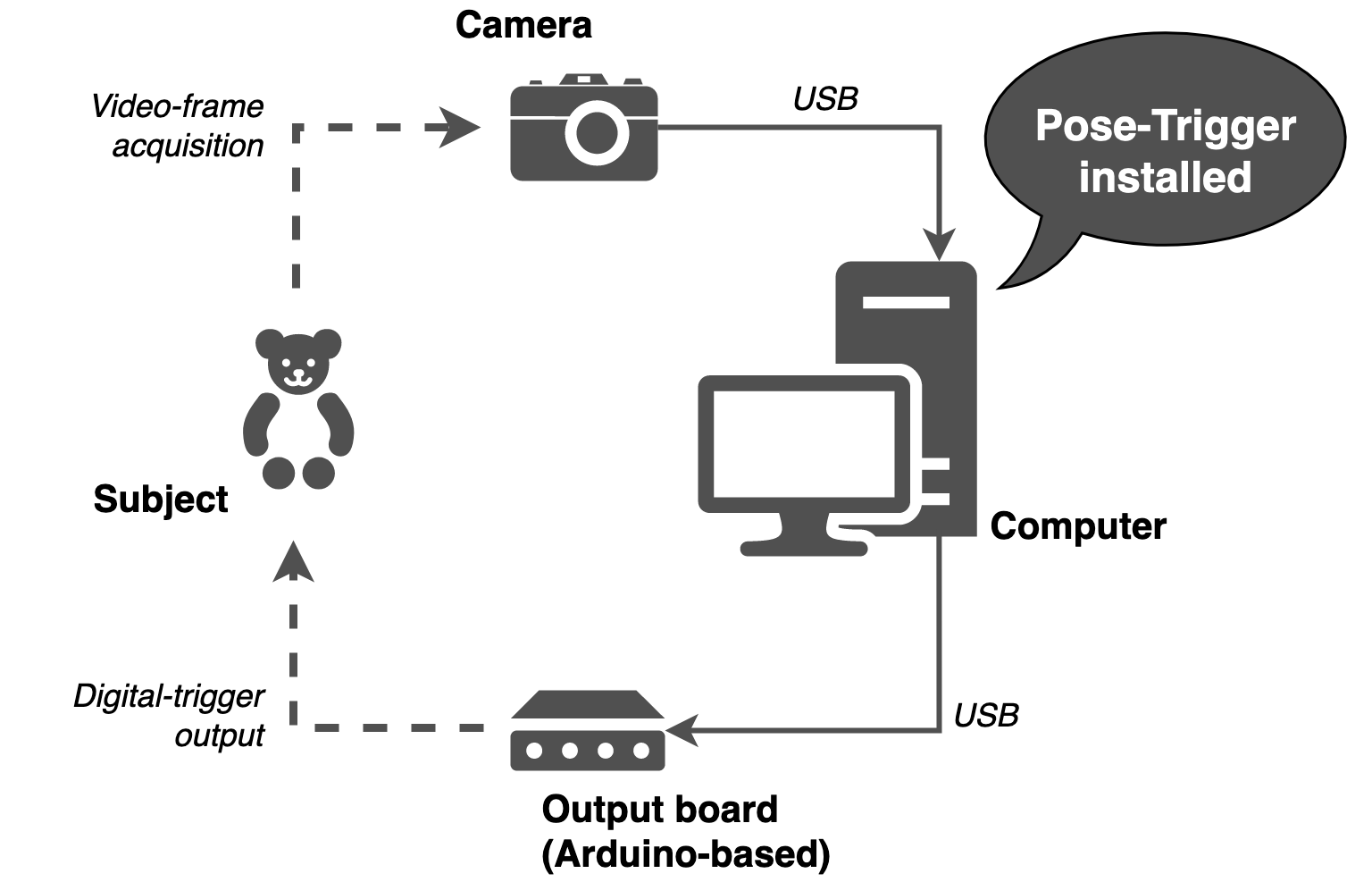
The model setup
Above is the model setup that uses Pose-Trigger. Pose-Trigger is designed to work in a closed-loop experiment setup, where a single PC acquires video frames from the camera and generates trigger output based on the behavior of the subject.
For more detailed system requirements, refer to the System requirements section.
The main acquisition loop
Below is the schematics for the main acquisition loop:
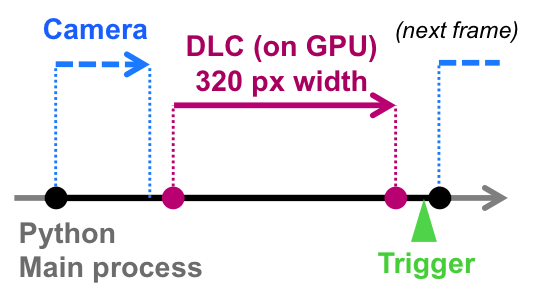
The main acquisition loop
The timer generates timings for the acquisition of the next frame (black filled circles).
Pose-Trigger commands the camera to acquire a video frame, and receive it (blue dashed arrow).
Pose-Trigger delegates body-part estimation to the underlying DeepLabCut library (in case it exists; magenta arrow).
Pose-Trigger updates the status of trigger output by sending information to FastEventServer (in case it is serving; green arrowhead).