Pose-Trigger
stable

Contents:

  • Introduction
  • System requirements
  • Installation
  • Preparing an Output Board
  • Quick usage guide
  • Panel-by-panel guide
  • Appendix: Checking the paths to your devices
  • Appendix: Compiling FastEventServer
Pose-Trigger
  • »
  • Welcome to Pose-Trigger documentation!
  • Edit on GitHub

Welcome to Pose-Trigger documentation!

Pose-Trigger is a python application for real-time, closed-loop application of TTL trigger generation based on the pose of the subject.
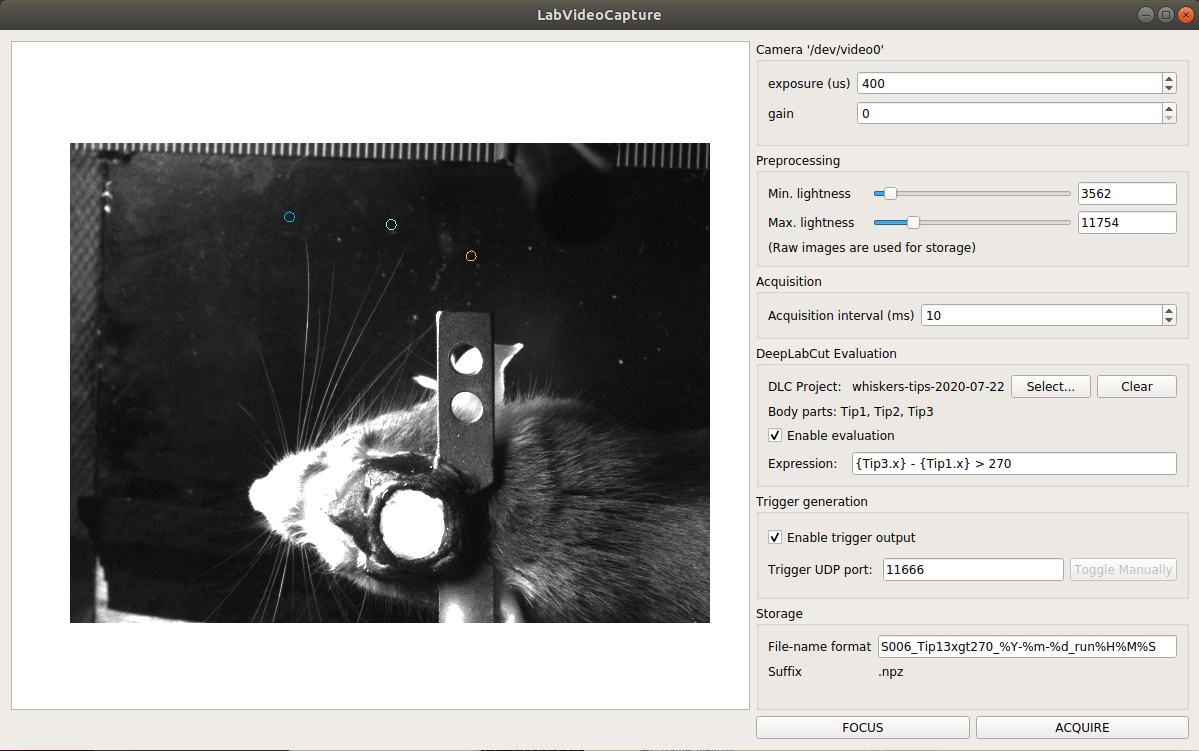
_images/Screenshot.png

A screenshot of a working Pose-Trigger app (development version)

Contents:

  • Introduction
    • What Pose-Trigger can do
    • How Pose-Trigger works
  • System requirements
    • Base requirements
    • Reference setup specifications
  • Installation
    • Software installation
    • Hardware installation
  • Preparing an Output Board
    • Writing a sketch to Arduino UNO
    • Writing a sketch to Arduino Leonardo
    • Flashing Arduino-fasteventoutput to a UNO clone
    • Testing the board using the serial commands
  • Quick usage guide
    • Launching Pose-Trigger
    • Organization of the main window
    • Capturing videos
  • Panel-by-panel guide
    • “Camera” panel
    • “Preprocessing” panel
    • “Acquisition” panel
    • “DeepLabCut evaluation” panel
    • “Trigger generation” panel
    • “Storage” panel
  • Appendix: Checking the paths to your devices
    • Listing up I/O devices
    • Focusing on serial devices (like Arduino boards)
    • Focusing on cameras
  • Appendix: Compiling FastEventServer
    • Cloning the repository
    • Compiling the program
    • Installing the program to Pose-Trigger
http://i.creativecommons.org/p/zero/1.0/88x31.png

To the extent possible under law, the authors has waived all copyright and related or neighboring rights to Pose-Trigger documentation (under the legal code CC0 1.0).

Next

© Copyright CC0 1.0 Universal (CC0 1.0) Public Domain Dedication. Revision 39417226.

Built with Sphinx using a theme provided by Read the Docs.